
How it works ◦ Partner Pilot ◦ FAQ ◦ Security ◦ Contact us
Get signed estate plans funded & kept current
Track funding progress, guide clients, and stay informed until the finishline.

Built for estate planners and families ○ Funding and maintenance hub for signed estate plans ○ A secure vault for the family
How It Works


Firm Handoff
① Create a household + handoff signed estate plan
Create a household (e.g., Smith Family) and upload their signed plan, funding memo, and any other relevant documents.
② Add people + assets + funding tasks (fast)
Enter key people and high-level assets. Assign funding tasks by asset and reuse funding templates to save time.
③ Generate a funding checklist and invite your clients
Invite clients to a secure vault for their signed plan, with a personalized funding checklist ready to review.

Client Funding Experience
① Clients access signed estate plan
Clients receive an email invite and log into their portal. They can access their files securely anytime.
② Confirm what’s true
In an initial funding review, clients confirm people/assets and add any missing items.
③ Work through a guided funding checklist
Clients see clear funding tasks for assets, uploads for proof (letters/statements/screenshots), and gentle reminders.

Stay Funded & Current
① Visibility for the FirmYour dashboard shows each household’s Plan Health and what’s outstanding—plus last client activity and uploaded proof. You'll see when all items are completed.
② Annual Plan Checkup → Change BriefEach year, we prompt clients with a short questionnaire (life events, new assets, fiduciary changes). Family Harbor generates a concise Change Brief so you can quickly scope updates and book the right follow-up meeting.Plan checkups can be initiated by clients at anytime after their original plan was marked as 100% funded.
Founding Partner Pilot

Run Family Harbor with real households and help shape the v1 workflow—at no cost.
What you get:
○ Branded Client Portal with secure magic-link access for clients; no passwords
○ Funding Checklist to guide your clients through the funding process
○ Firm Dashboard + Plan Health to track progress, see what’s stuck and dig into any client household
○ Unlimited Team Seats so anyone at your firm can access our tools during the pilot
○ Funding Templates to turn your “funding memo” tasks into reusable templates, or use our ready-to-edit templates
White-glove Household Setup (opt-in): For each household you set up, forward us the signed plan and any other relevant documents, and we’ll save you time by entering in key roles and a high-level asset list for you to review and edit before inviting your clients.
See a Preview
Concept UI only—your firm's name, colors and logo would be added.
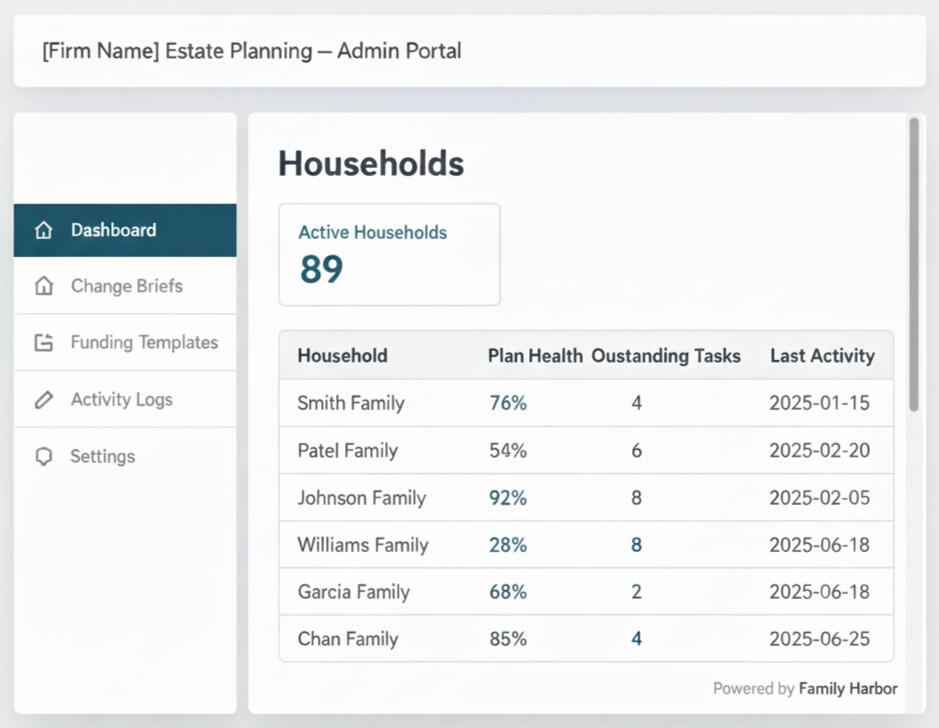
Planners see the Firm Dashboard
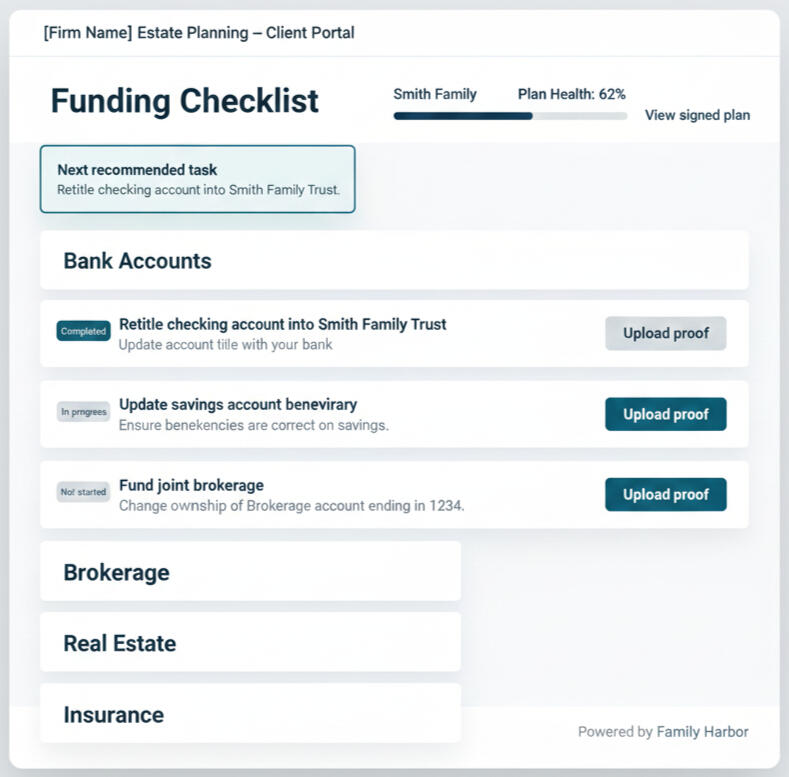
Clients work their Funding Checklist
Security

Family Harbor is a vault-lite hub for estate plan funding, maintenance and safekeeping. We use secure-by-design practices so firms can confidently invite clients and keep plans accessible and secure over time.
Secure transport + encrypted storage: HTTPS/TLS in transit; encrypted data at rest.Role-based access: Firm users, household owners, and optional viewers each get role-appropriate access.Magic-link access: No new passwords; links can be revoked and reissued at any time. This may change after the pilot.Privacy by default: No ads and no third-party trackers on client-facing pages. We do not sell data.
FAQs
Who owns client data?
Your firm and your clients own the data. Family Harbor acts as a system of record for the funding implementation workflow and keeps it portable via exports. Family Harbor hosts client data as a secure vault-lite hub.
What happens if we offboard—what happens to client data and documents?
You can export each household at any time (documents + checklist data + activity history). If your firm stops using Family Harbor, households can either be exported and closed, or continue directly with Family Harbor (client-paid and under the family harbor branded experience) so the family doesn’t lose continuity.
How does the audit/implementation record work—who can see it?
All actions are time-stamped (uploads, task completions, notes, checkups, viewer invites). Firms have the full record; clients see the relevant household activity history; optional viewers only see what they’re explicitly granted.
How many staff can use the firm portal?
During the pilot, you can add the staff you need—each with their own access and audit trail.
How much does Family Harbor cost for Professionals?
Family Harbor is running a $0 pilot program for our first partner firms. We ask you name a point of contact, and have 3–5 households (newly signed or recently signed plans) you can pilot for 6–8 weeks. We'd like to do 2 short feedback calls (mid-pilot & wrap-up). We’ll decide on the pilot's success criteria together.If we are successful, Founding Partners can lock in early pricing and priority access to new features. If it’s not a fit, you walk away with what you’ve learned—no obligation.
Contact us
Have any questions? Shoot us a message!
Need help? Click the small email icon below or email [email protected].

Get signed estate plans funded and kept current.
Get Started
Built for Estate Planners and Families.
© 2025 Family Harbor. All rights reserved. · Not legal/financial advice.
Privacy Policy · Terms of Service · Security · Back to top
Disclaimer: Family Harbor provides organizational software and education. We are not a law firm or financial advisor; nothing here is legal, tax, or investment advice.